
Plugin Settings

General Settings – Quick Guide
The General Settings page controls the overall behavior and automation of the LicenseShipper plugin inside WooCommerce.
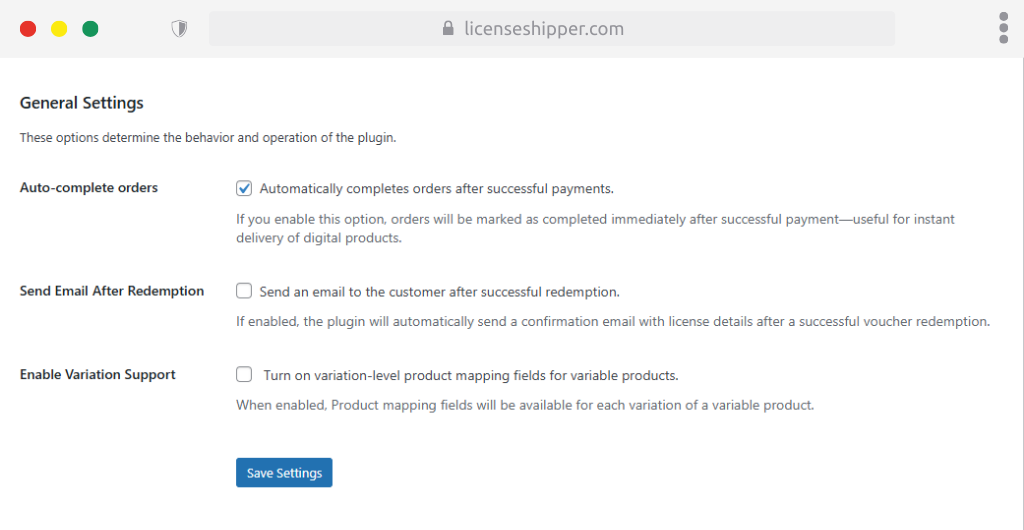
Auto-complete Orders
- When enabled, orders are automatically marked as Completed after successful payment.
- Useful for instant delivery of digital products without manual approval.
Send Email After Redemption
- If enabled, customers receive a confirmation email after redeeming a voucher/license.
- The email contains license details for their reference.
Enable Variation Support
- Allows license mapping at the variation level for variable products.
- When enabled, each variation (e.g., Standard Edition, Deluxe Edition) can be mapped to a different LicenseShipper product.
API Settings – Quick Guide
The API Settings page connects your WooCommerce plugin to your LicenseShipper account. This integration ensures license delivery and redemption work properly.
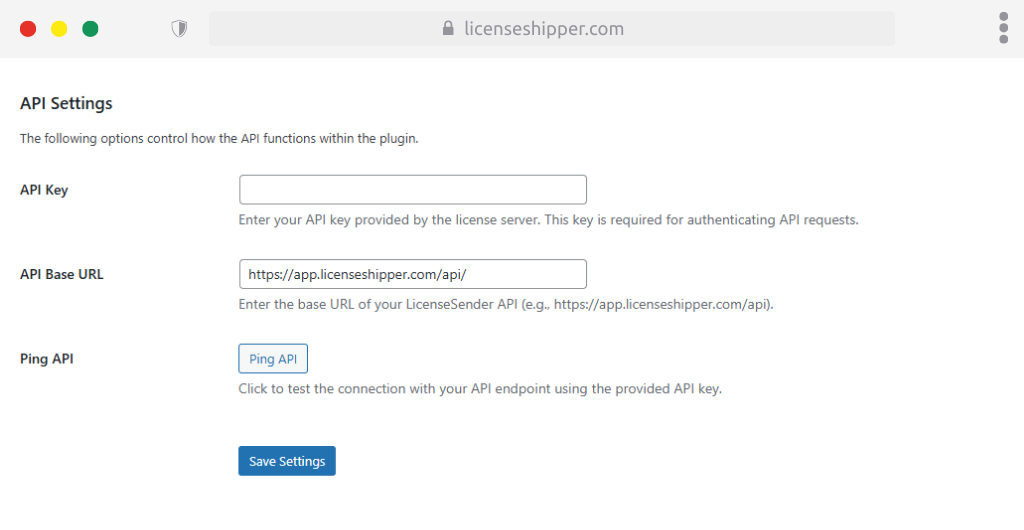
API Key
- Paste the API key generated in your LicenseShipper dashboard (My Account → API Keys).
- This key authenticates all plugin requests.
API Base URL
- The base API endpoint for LicenseShipper.
- Default:
https://app.licenseshipper.com/api/
Ping API
- A test button to confirm connection with LicenseShipper.
- When clicked, it checks if your API key and base URL are valid.
E-Mail Settings – Quick Guide
The E-Mail Settings page defines how license delivery emails are sent to customers. Configure the sender details, subject line, and test options.
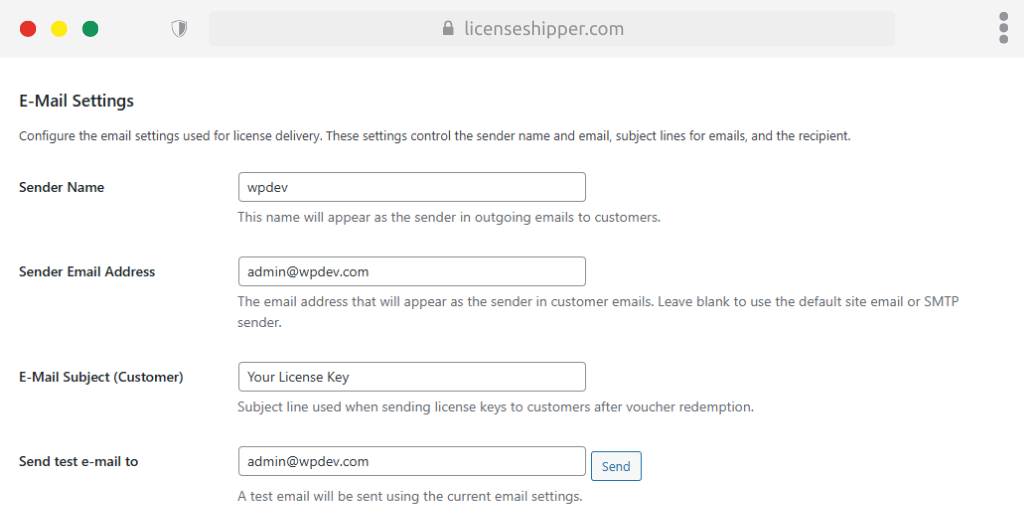
Sender Name
- The display name shown as the sender in customer emails.
- Example:
LicenseShipperor your store name.
Sender Email Address
- The email address that appears as the sender.
- Example:
support@yourdomain.com. - Leave blank to use the default site email or configured SMTP.
E-Mail Subject (Customer)
- Subject line used when sending license emails to customers after redemption.
- Example: Your License Key.
Send test e-mail to
- Enter an address to test current email settings.
- Click Send to send a test email using the defined settings.
Design Settings
The Design Settings page allows you to customize the visual appearance of LicenseShipper’s interface, ensuring it matches your brand identity.
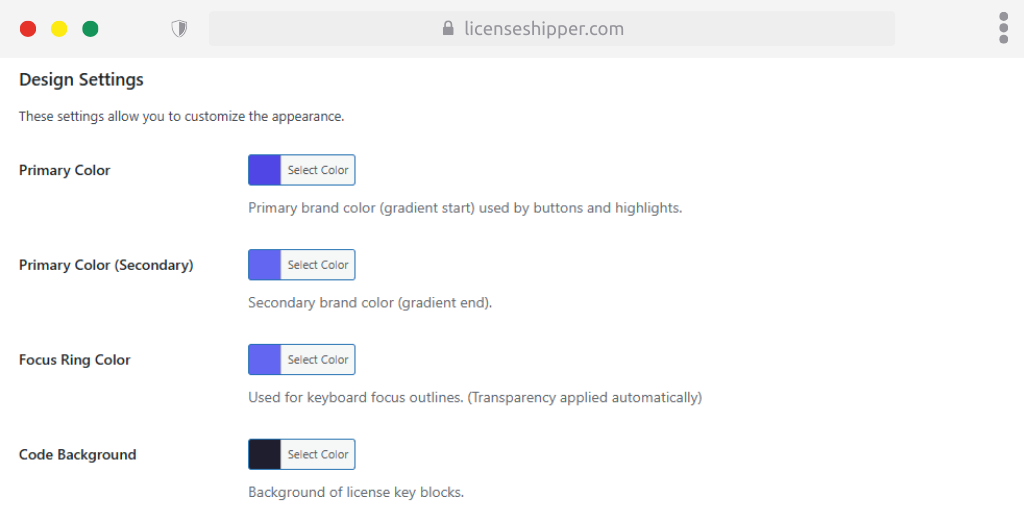
Primary Color
- Used as the main brand color (gradient start).
- Applies to buttons and highlight elements.
Primary Color (Secondary)
- The gradient end color for your primary branding.
- Works with the main Primary Color to create gradient effects.
Focus Ring Color
- Used for outlines when navigating via keyboard (accessibility feature).
- Transparency is applied automatically to improve visibility without distraction.
Code Background
- Background color of license key blocks.
- Helps improve readability and match branding.
Popup Settings
The Popup Settings page allows you to customize the confirmation popup shown before fetching license keys.
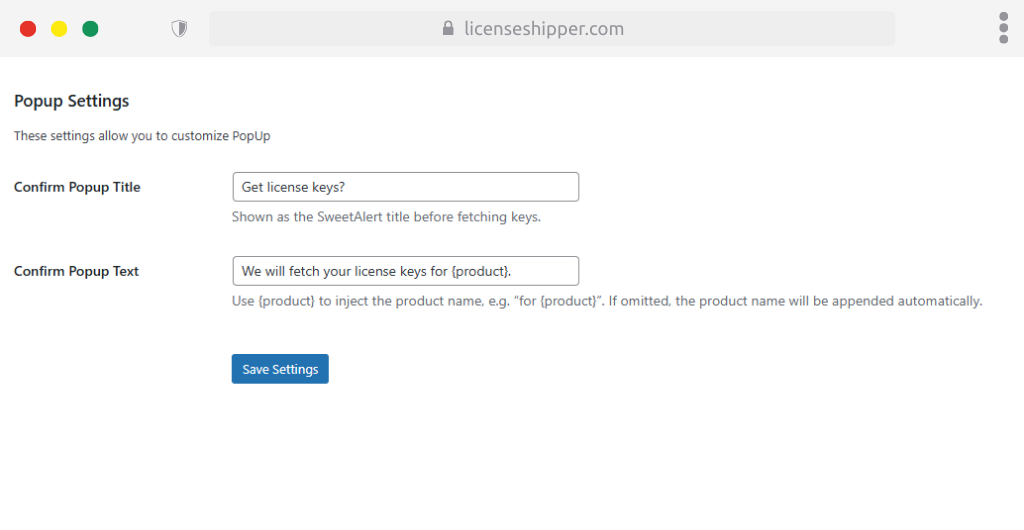
Confirm Popup Title
- The title displayed at the top of the popup window (SweetAlert).
- Example: Get license keys?
Confirm Popup Text
- The message shown inside the popup body.
- Supports the placeholder {product} to dynamically inject the product name.
- Example: We will fetch your license keys for {product}.